From one photo to ready to sell.
A connected workflow across iPhone and Shopify.
- 1
Connect

Open InHub in your Shopify admin and scan the pairing code with your iPhone. The phone stays paired until you disconnect it.
- 2
Capture
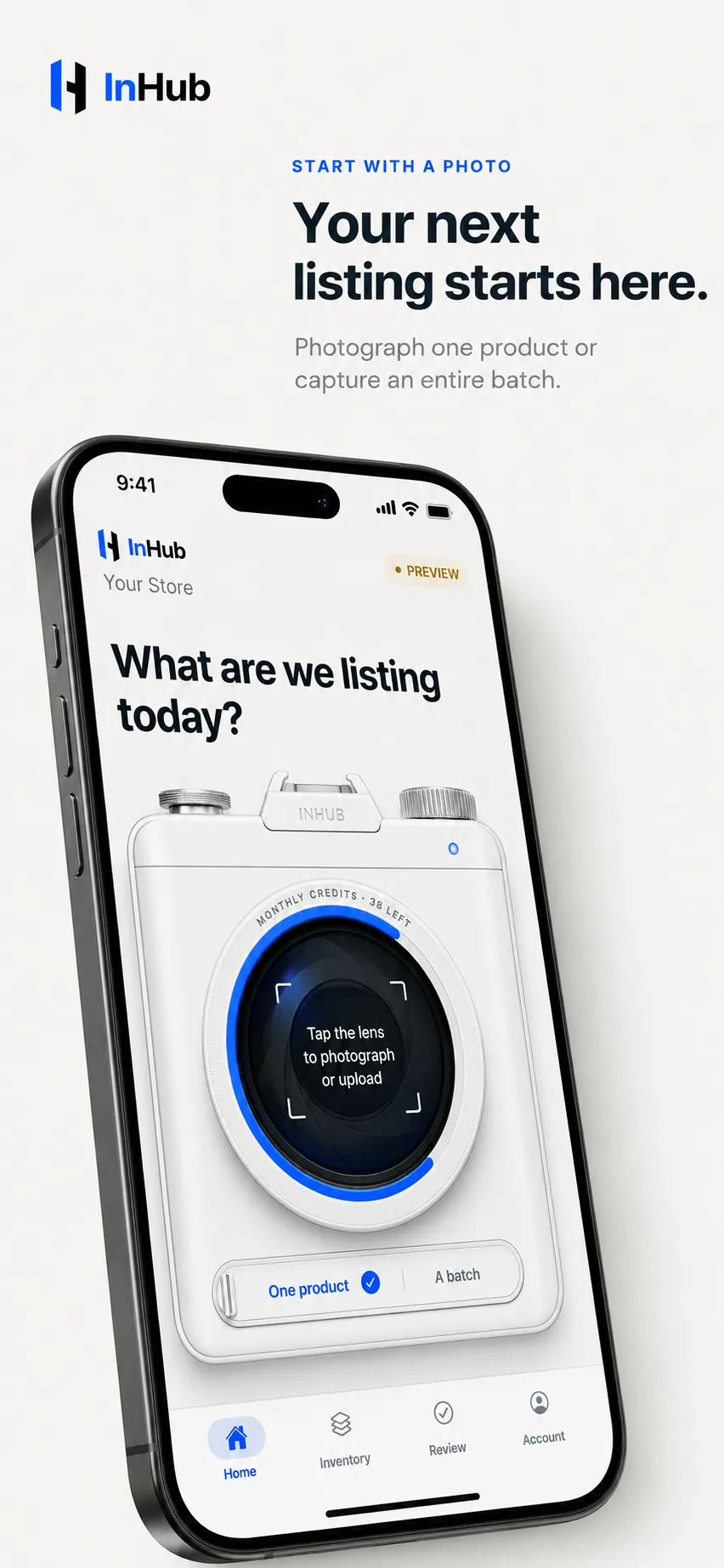
Photograph one product or an entire batch, right where the merchandise sits. Ordinary light is fine — that's the point.
- 3
Choose
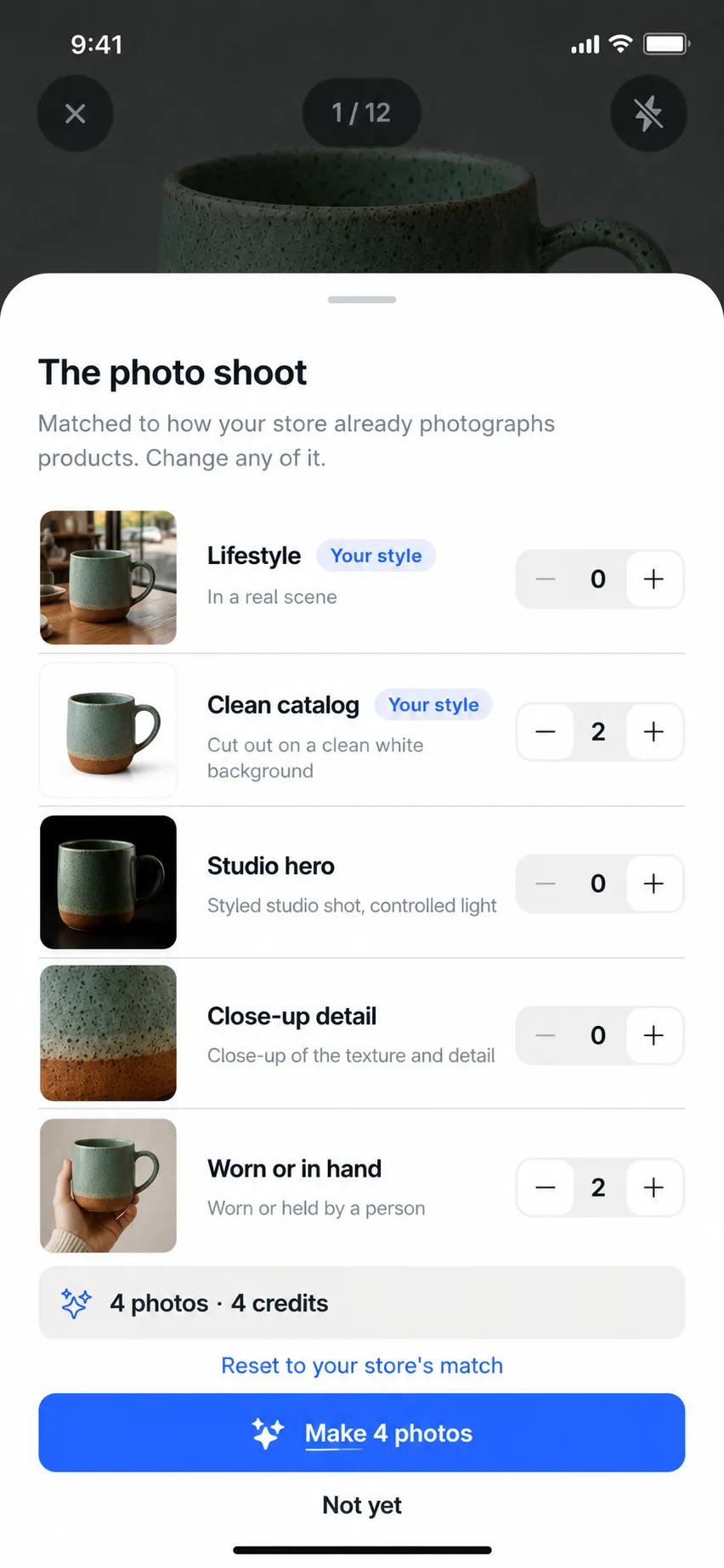
Pick the shots for this item — clean catalog, studio hero, lifestyle, close-up detail, worn or in hand — matched to how your store already photographs products.
- 4
Approve

Everything lands in Review: photos, title, description, price. Edit any field, remake any image, then approve. Nothing goes live without you.
Shelf to storefront, in four moves.
The phone captures, the Shopify admin publishes, and you sit in between.
-
Capture
One photograph of the piece, on the counter, in whatever light the shop happens to have.
-
Create
InHub rebuilds it as studio photography. The same figure, every rivet, lit the way your storefront is lit.
-
Review
Every image and every line of copy waits for you. Approve it, change it, or send it back to be remade.
-
Publish
On approval it is written to the product in Shopify: the photos, the title, the description, tags, SEO and alt text.
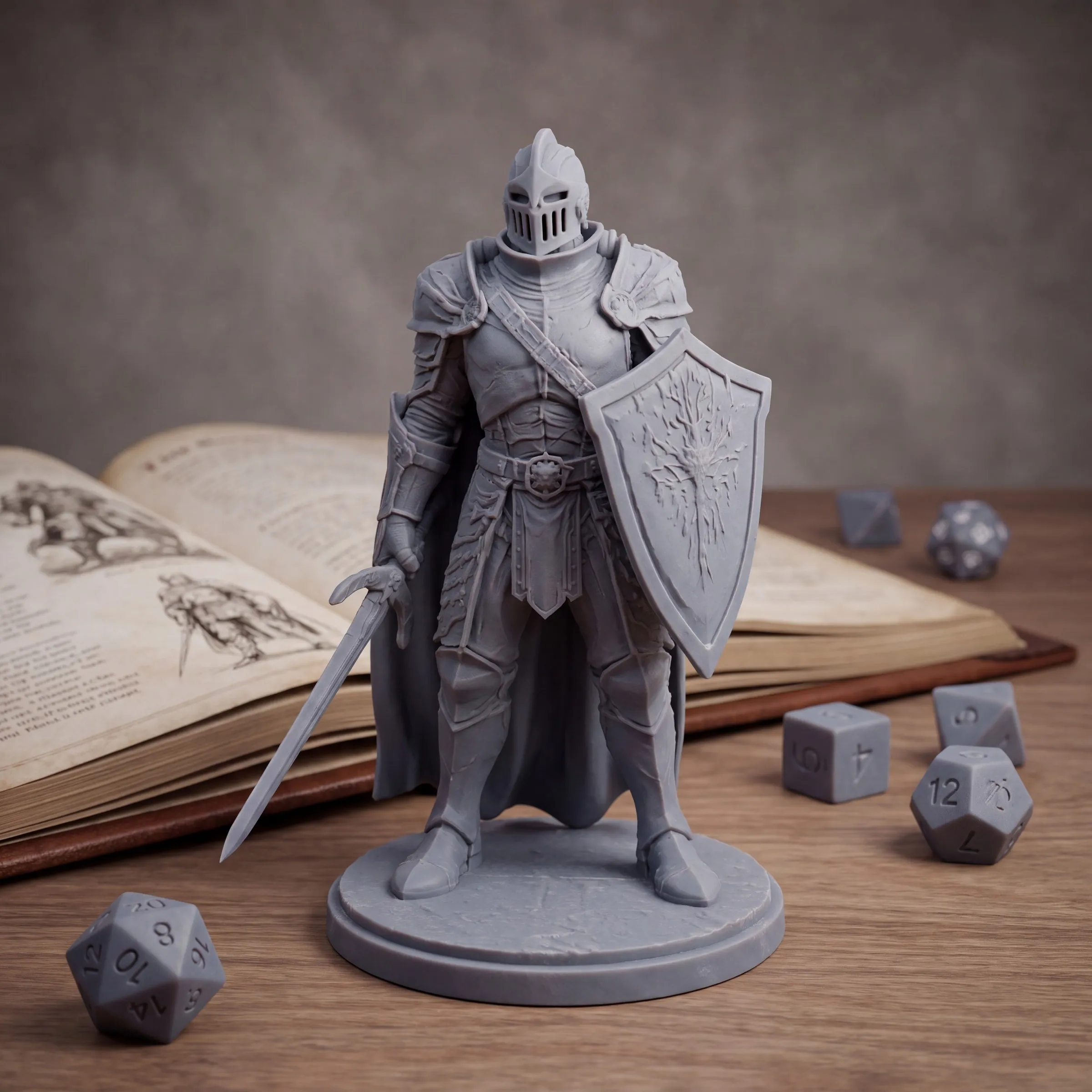
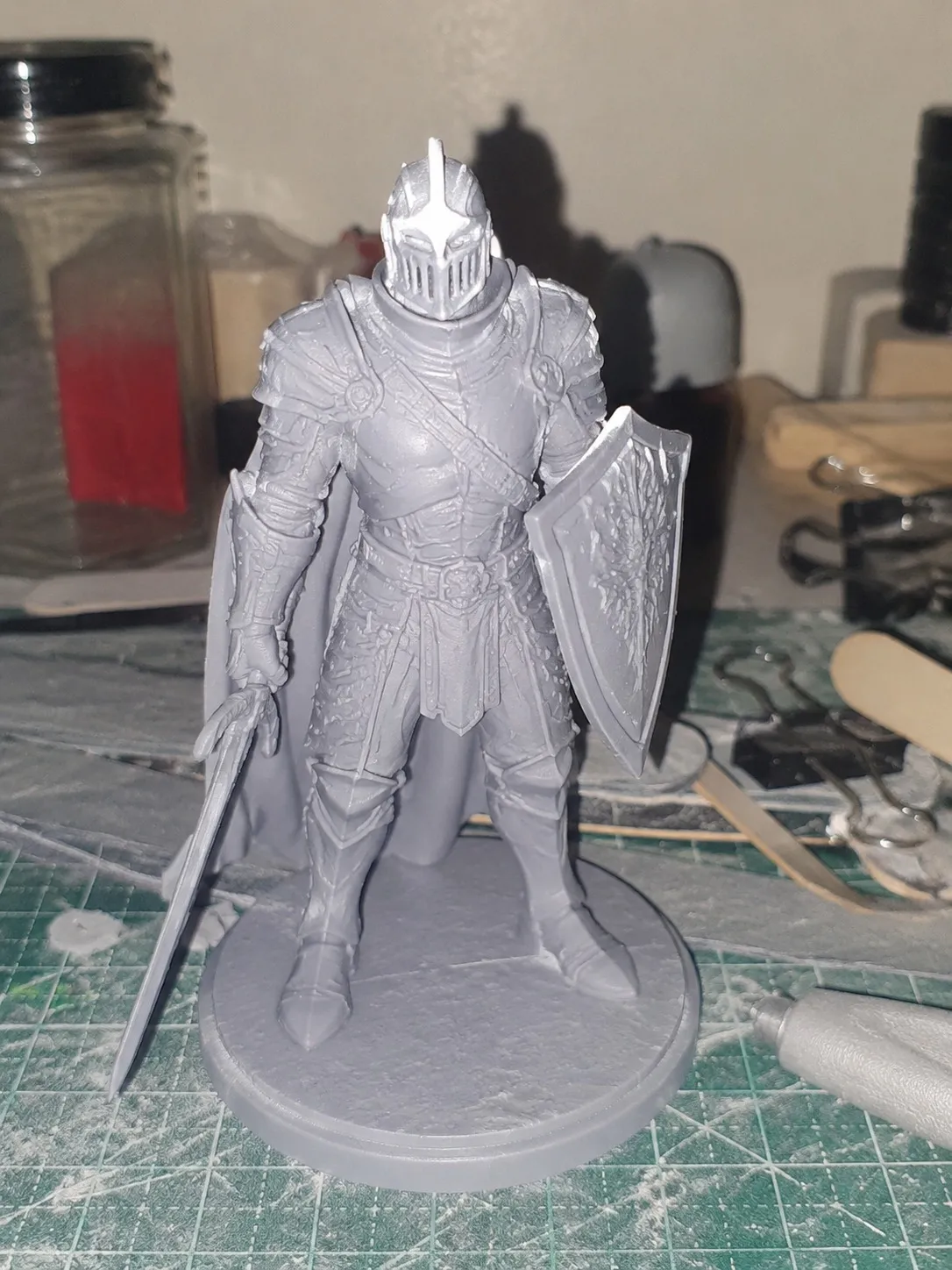
Armoured Knight Miniature, Unpainted Resin
A round brilliant held in a classic prong setting, clean to the eye, on a polished yellow gold band.
Armoured Knight Miniature, Unpainted Resin $24.00 Live on your store
Three deliverables from every shoot.
Product photography
Five flexible shot styles in your store's look, from one capture.
Listing content
Title, description, tags, SEO, and alt text written from what the photos actually show.
Ad creative
Campaign-ready imagery sized for feed, story, and Pinterest.